
Draft it, send it, get paid, and let the books keep up.
An invoice in Trellis is more than a document: sending it posts it to the ledger, and applying a payment posts that too. You hand your customer the PDF or a hosted link, and the books keep up on their own. Every image on this page is a real capture of Trellis running on the fictional StrataForge Robotics books.

An invoice from draft to paid
An invoice moves through a few states, and two of them touch the books.
Draft
Pick a customer, add line items with a quantity and a price, set a discount and a tax code, and save. A draft posts nothing. The number is generated for you.
Send
Sending changes the status to sent and posts the invoice: Accounts Receivable is debited for the total, the income accounts named on the lines are credited their amounts, and the first income account takes whatever is left. Sending again changes nothing. To get the invoice to your customer, give them the PDF or a hosted link.
Take payment
Apply a payment, in part or in full, through the API or an agent tool. The invoice becomes partial or paid, and cash is debited against Accounts Receivable. Once an invoice is past its due date and still owes money, it is marked overdue.
Void
Voiding an invoice marks it void and takes its journal entry out of the books. The web app offers Void only while nothing has been paid.
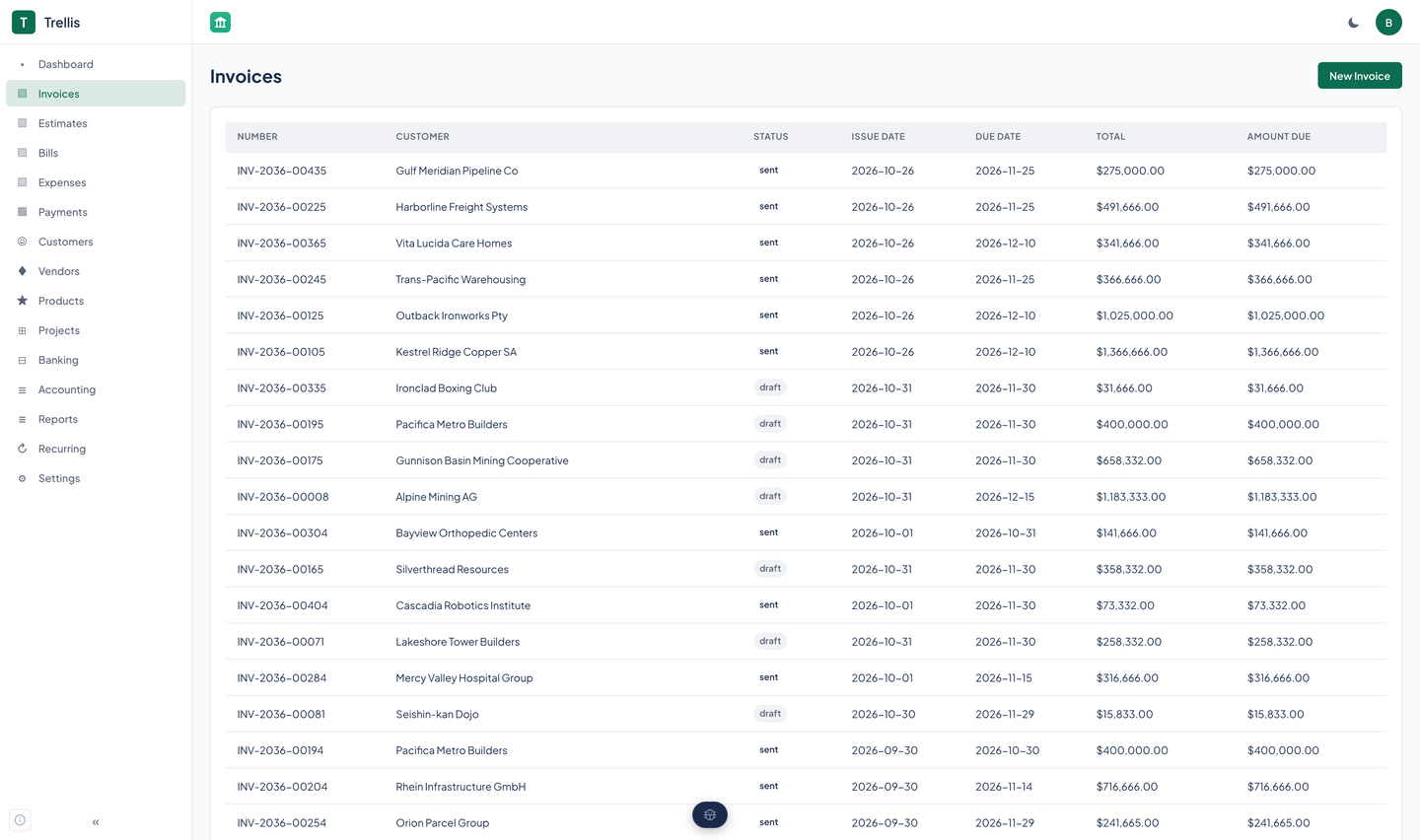
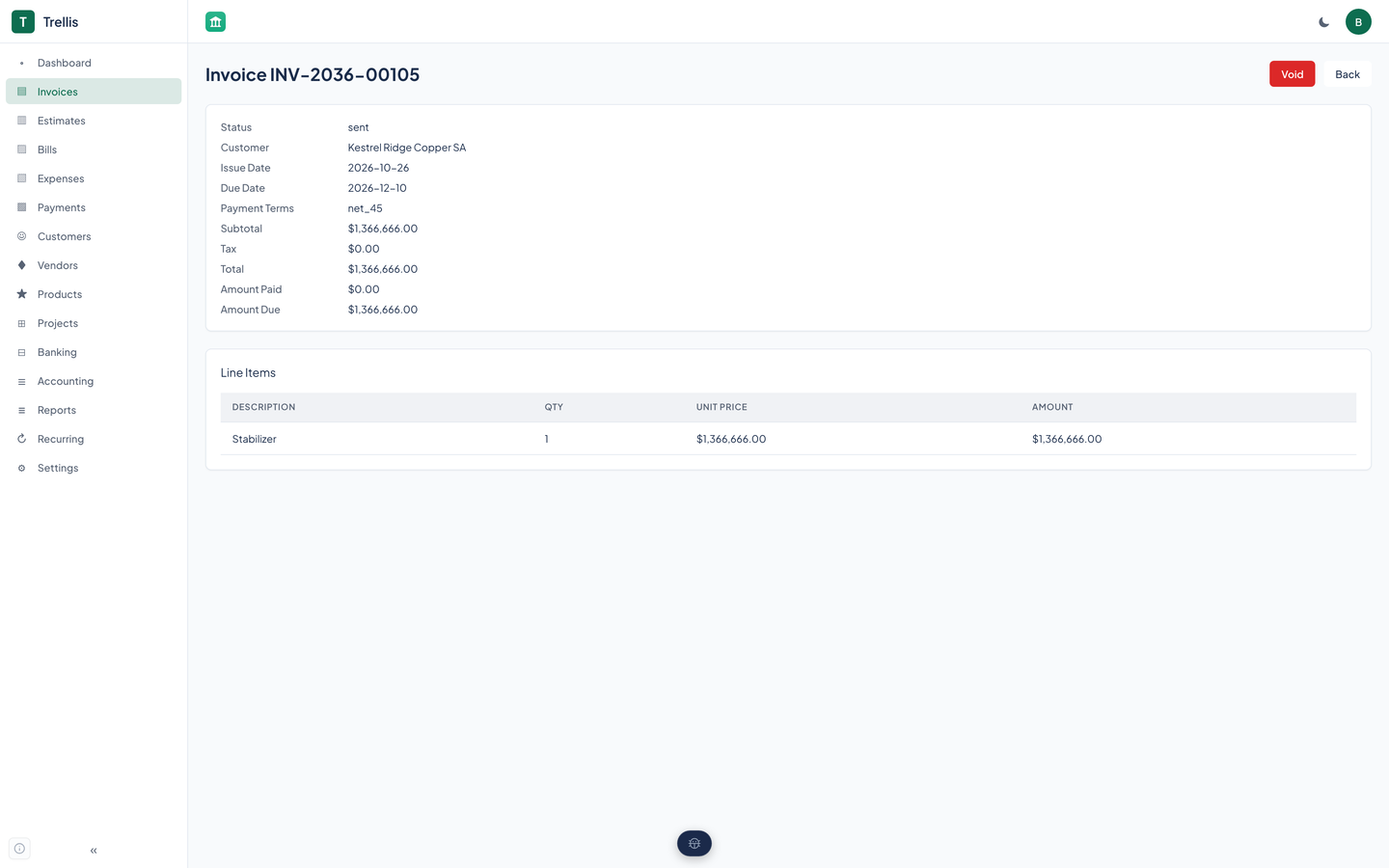
The web app's invoice page offers Send and Void. Applying a payment, the PDF, and the hosted link are done through the API and agent tools.
What goes on an invoice
- Line items with a quantity and a price, drawn from your products and services or typed in.
- A discount and a tax code. A tax code can be set as compound, so one tax is charged on top of another.
- Tax-exempt customers, flagged once on the customer.
- Payment terms and a due date.
- An organization's name, address, logo, and accent color on the PDF.
Tax
A tax code carries a percentage and can be compound. Invoice tax is worked out when the invoice is saved, with discounts and tax rounded to the cent, half up. A tax summary report adds up the tax on invoices and bills for a period.
The tax on an invoice is part of the total that is posted to Accounts Receivable and to income.
A PDF you can hand over
Each invoice can be rendered to a PDF on the server, with the organization's name, address, logo, and accent color. An agent tool saves it to a file or returns it as data.
The look comes from the organization's record: set the name, address, logo, and accent color once and every PDF follows.
A link instead of an attachment
A hosted link opens a read-only page for one invoice, with a PDF download, and asks for no login.
- It expires
- A link lasts 30 days unless you ask for another length, and never more than 365 days.
- You can revoke it
- Revoke one link, or every link on an invoice. Changing the signing secret kills every link at once.
- It is read only
- The page shows the invoice and offers the PDF. It cannot change anything, take a payment, or mark the invoice viewed.
- It stays private
- The page tells search engines to ignore it and tells the browser not to send a referrer. The Agents and API page lists the rest.
Estimates
Create
Write an estimate for a customer with line items, much like an invoice.
Send
Mark it sent to record that it went to the customer.
Accept
Record the customer's acceptance.
Convert
Turn the accepted estimate into an invoice.
Questions about this tool?
Write to Renkara Media Group and a person will answer.