
A ledger first. The reports only read it.
Everything Trellis reports comes from one double-entry journal. Invoices and the payments against them post to it for you, you can post to it by hand, and the reports read it back. Every image is a real capture of Trellis running on the fictional StrataForge Robotics books.

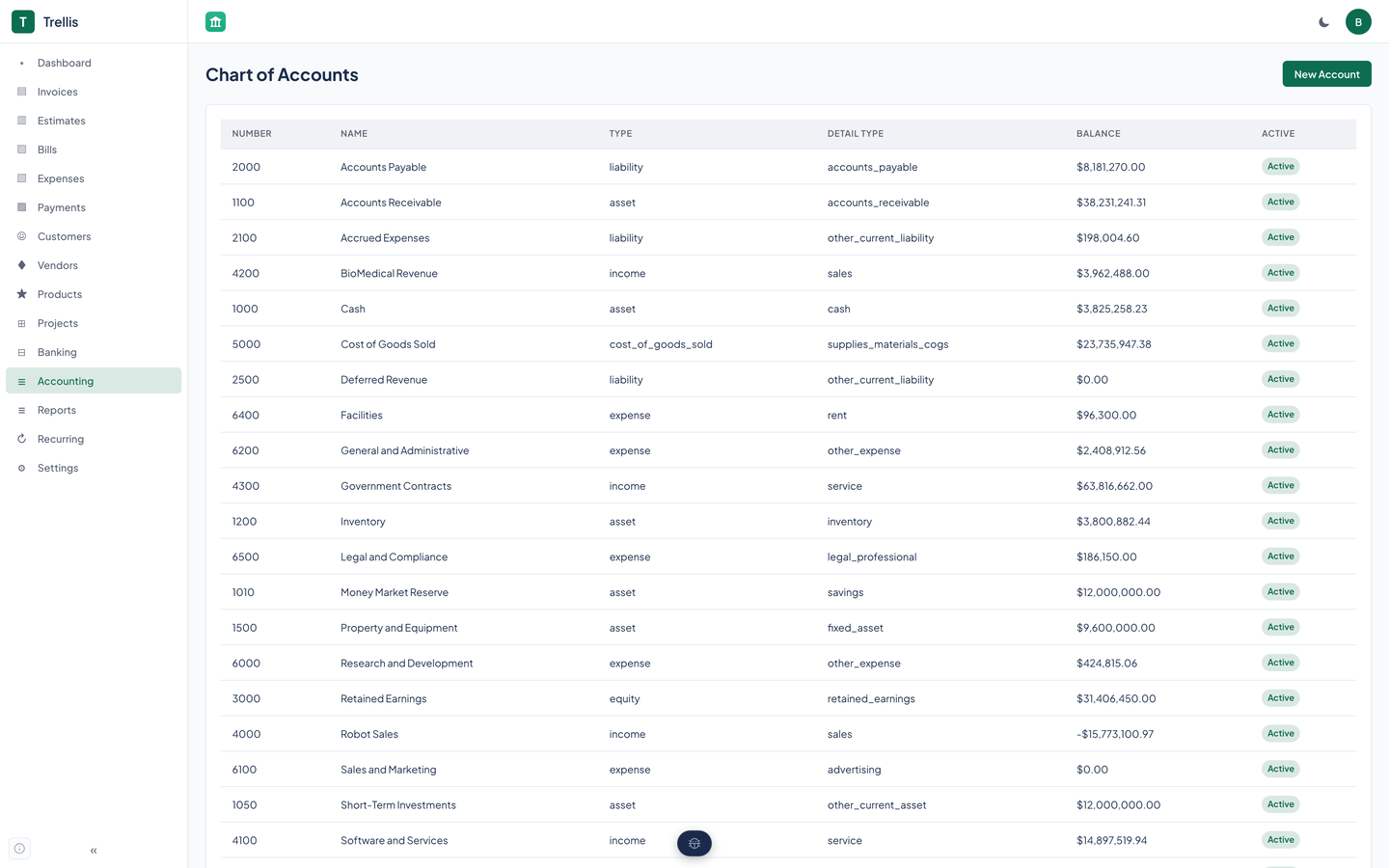
The chart of accounts
Every posting needs two accounts, so the chart comes first.
- Six account types: asset, liability, equity, income, expense, and cost of goods sold.
- An account can sit under a parent account, so a chart can have groups and sub-accounts.
- You create, rename, and delete accounts yourself, so the chart fits your business.
- Posting an invoice needs an Accounts Receivable account and an income account. Without them the invoice still sends, and nothing is posted until they exist.
Journal entries
A journal entry is a set of debit and credit lines. Trellis rejects an entry whose debits do not equal its credits, and rejects one that is zero. An entry is a draft, posted, or voided.
Voiding an entry does not erase it. The entry is marked voided and keeps every line, and the reports stop counting it, so the ledger keeps the history and the books come back to where they were.
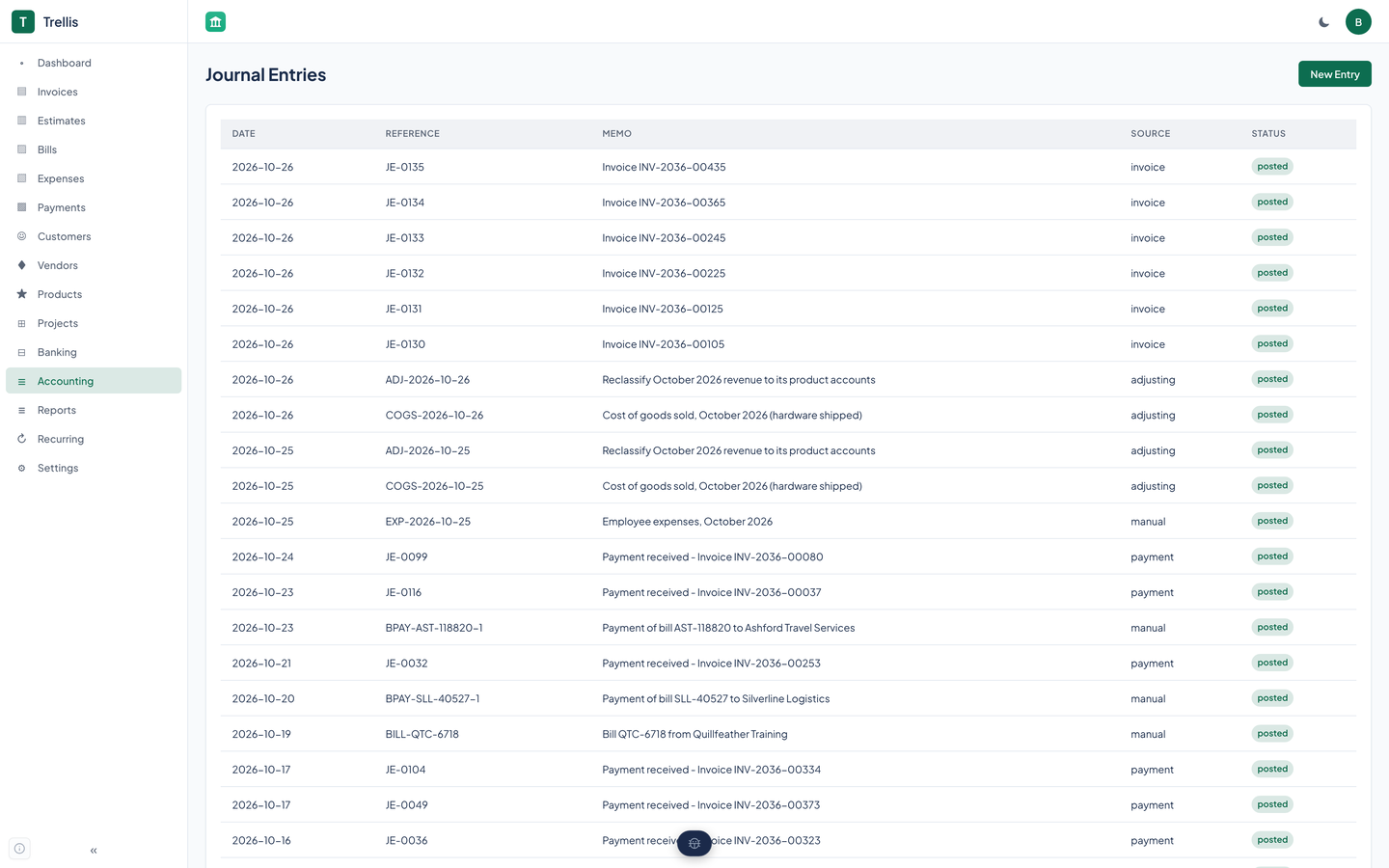
Voiding an entry is a call to the API or an agent tool. An entry Trellis posted for an invoice is voided by voiding the invoice. The web app lists entries and creates them.
What posts on its own
These events write to the journal without you. You can also post an entry by hand.
| Invoice sent | Debit Accounts Receivable for the total; credit the income accounts named on the invoice's lines, and the first income account on the chart for whatever is left. A second send changes nothing. |
|---|---|
| Payment applied to an invoice | Debit the deposit account you name, or else the first asset account marked cash; credit Accounts Receivable. |
| Invoice voided | The invoice's entry is voided, which takes it out of the books. An invoice with payments applied cannot be voided. |
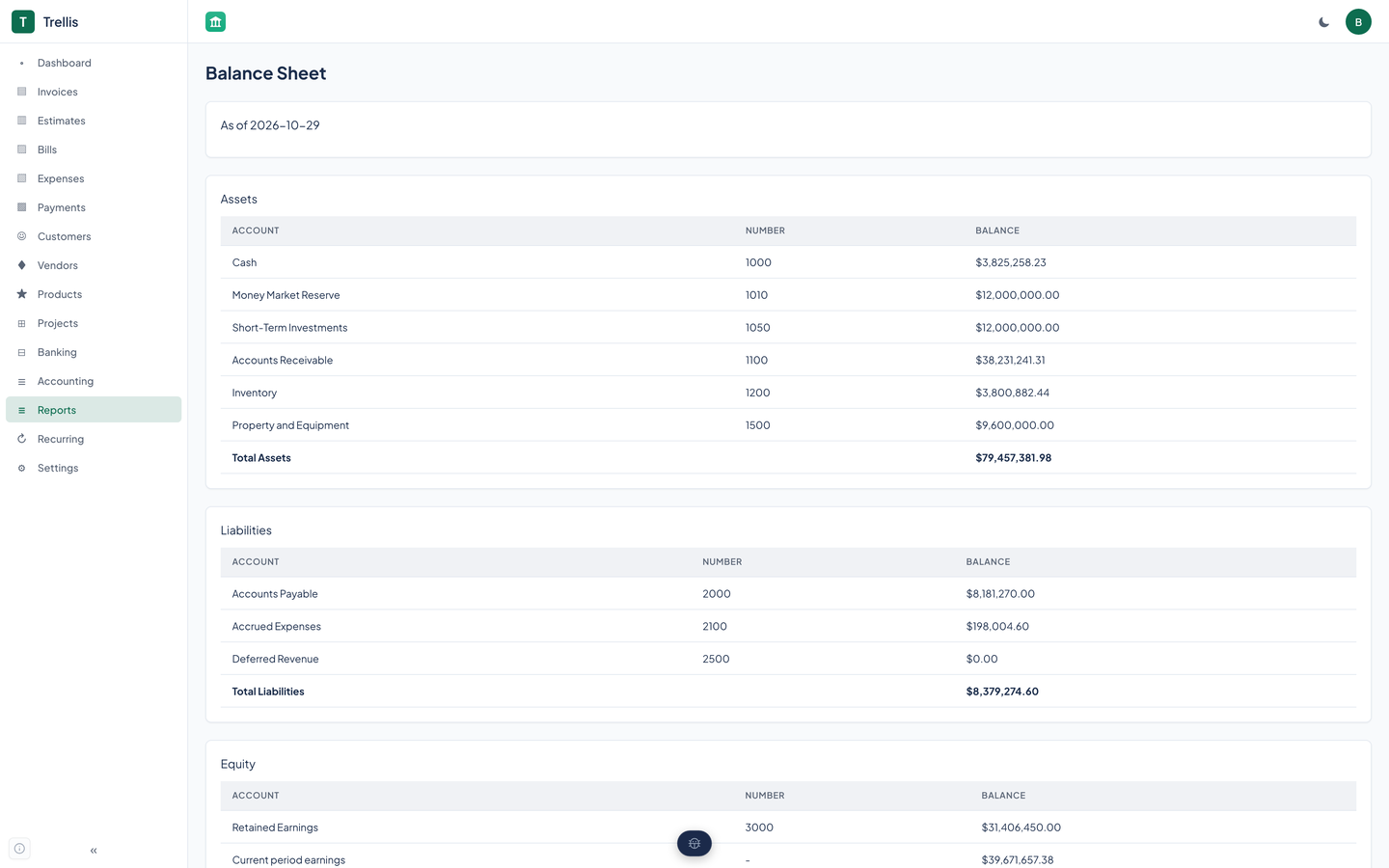
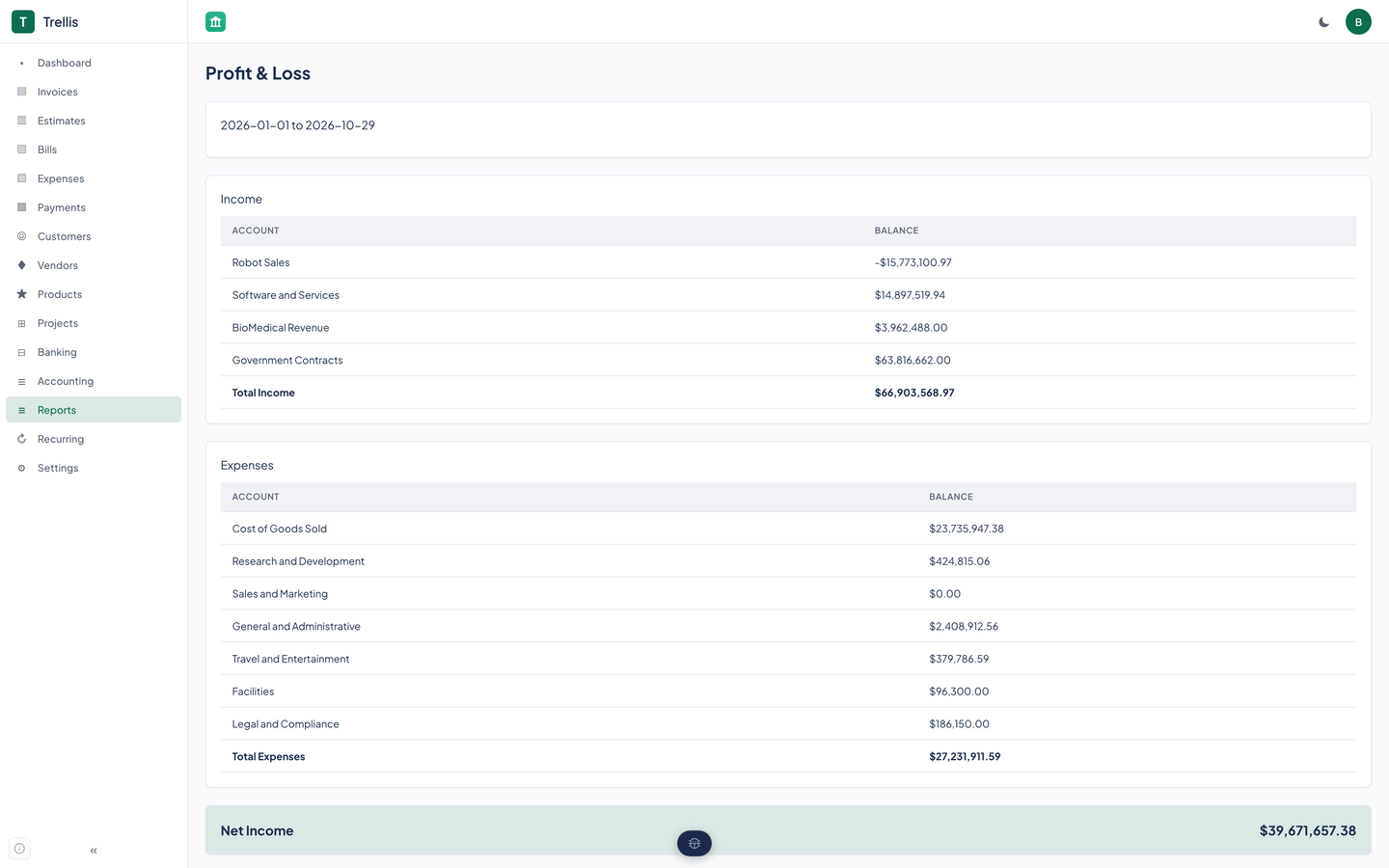
The balance sheet and profit and loss read these entries and the ones you post by hand. Bills and expenses are recorded and appear in the A/P aging and the tax summary.
Reading it back
Five reports are in the web app. Each one reads posted journal entries, except the two aging reports, which read open invoices and bills.
| Balance sheet | Assets, liabilities, and equity as of a date, from posted entries. Equity includes a computed current period earnings row, so the sheet balances. |
|---|---|
| Profit and loss | Income and expense accounts for a period, with the net result. |
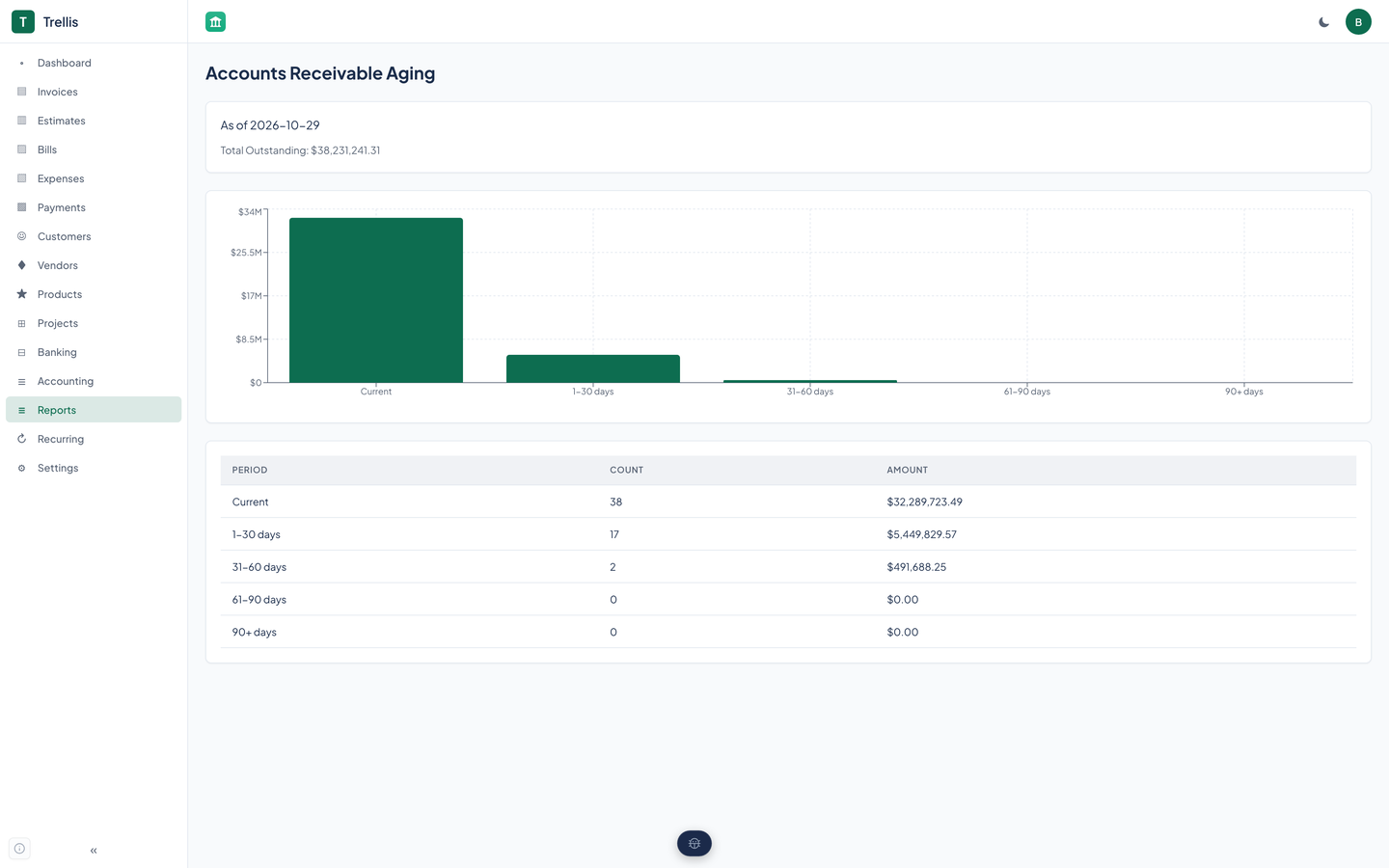
| A/R aging | Unpaid invoices grouped by how overdue they are. Invoices past their due date are marked overdue as you list them. |
| A/P aging | Unpaid bills grouped the same way. |
| Tax summary | The tax on invoices and on bills for a period. |
| Cash flow | Available through the API and agent tools. |
Whole cents, many organizations
Every amount Trellis stores or returns is a whole number of cents, never a floating-point number, so totals cannot drift.
The web app takes dollars in its forms and converts to cents in one module. Before 10/29/2026 it displayed raw cents as dollars and posted dollars into cent fields; that was fixed that day, and every image on this site was captured after the fix.
Every table carries an organization id. Each request names an organization, and Trellis checks that the caller belongs to it, is an admin, or holds a service token scoped to it.
Questions about this tool?
Write to Renkara Media Group and a person will answer.