
Rules for the rows, and a reconciliation to check them.
Trellis keeps your bank accounts and their transactions, applies the categorization rules you write, and reconciles a statement against the rows you have categorized. Every image is a real capture of Trellis running on the fictional StrataForge Robotics books.
Accounts and transactions
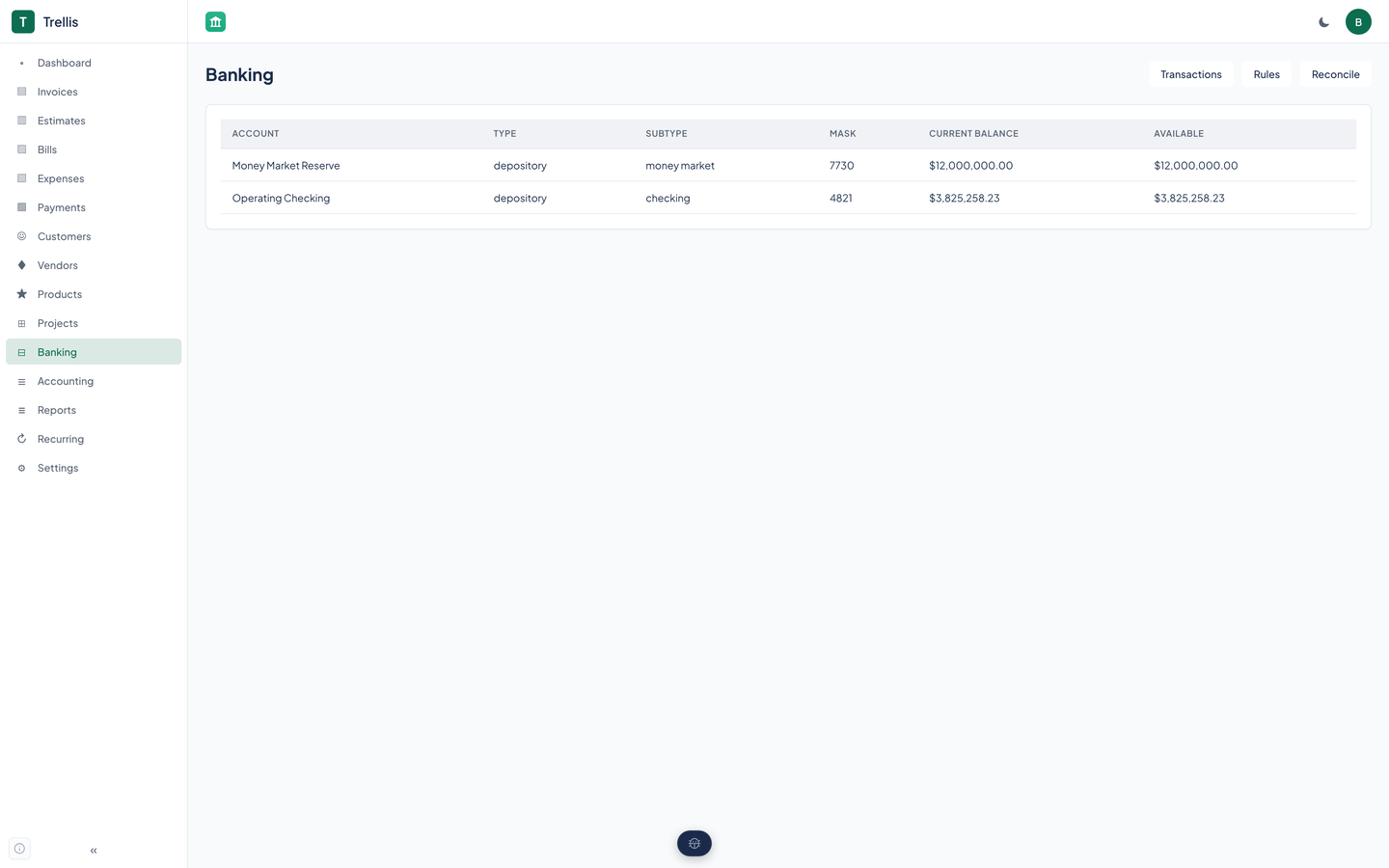
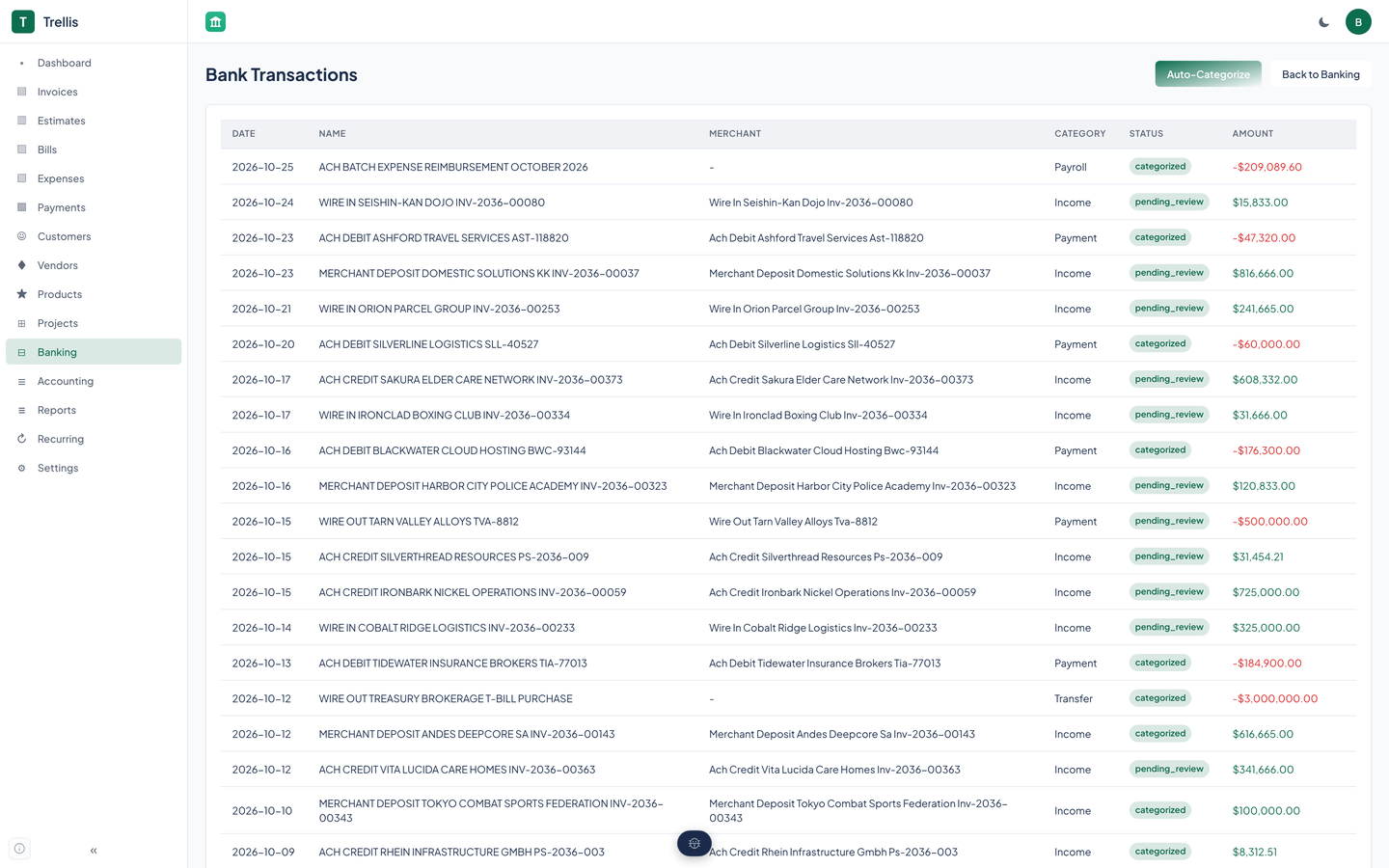
The Banking page lists each bank account with its type, the last digits, the current balance, and the available balance. The transactions page lists rows with their date, payee, amount, and a status.
A row is pending review, matched, categorized, excluded, or reconciled.
Rules
Write a rule
A rule matches a payee that contains some text, an amount range, a category, or a mix, and names the account to assign. You write rules through the API or an agent tool, and the web app lists them.
Run Auto-categorize
The button on the transactions page applies your rules to every row awaiting review. The first matching rule, in priority order, wins.
Review what is left
Rows no rule matched stay pending review. Categorizing a row sets its account and status.
AI suggestions, off by default
Trellis can ask a hosted language model to suggest a category for a row, with its reasoning. The setting is off unless someone turns it on, it needs a provider key, and your rules always run first.
A suggestion changes nothing until you accept it. When the setting is on, the row's payee, merchant, amount, and date go to the hosted model, along with your account names and some past categorizations, so leave it off if that is not acceptable.
Reconciliation
Reconciliation compares a statement to the rows you have categorized.
Start
Give an account, a statement date, and the statement's ending balance. Trellis adds up the categorized and matched rows to that date and records the difference.
Complete
Marking a reconciliation complete records who and when. Check that the difference is zero first.
Reconciliation runs through the API and agent tools.
Questions about this tool?
Write to Renkara Media Group and a person will answer.